Project Jupyter
Creating a basic settings system for JupyterLab users

Project Jupyter is a "nonprofit organization created to develop open-source services for interactive computing across multiple programming languages". JupyterLab, a web-based development environment of Project Jupyter, does not have a basic settings system for their users. They only have an advanced settings system.
The problem space and our solution
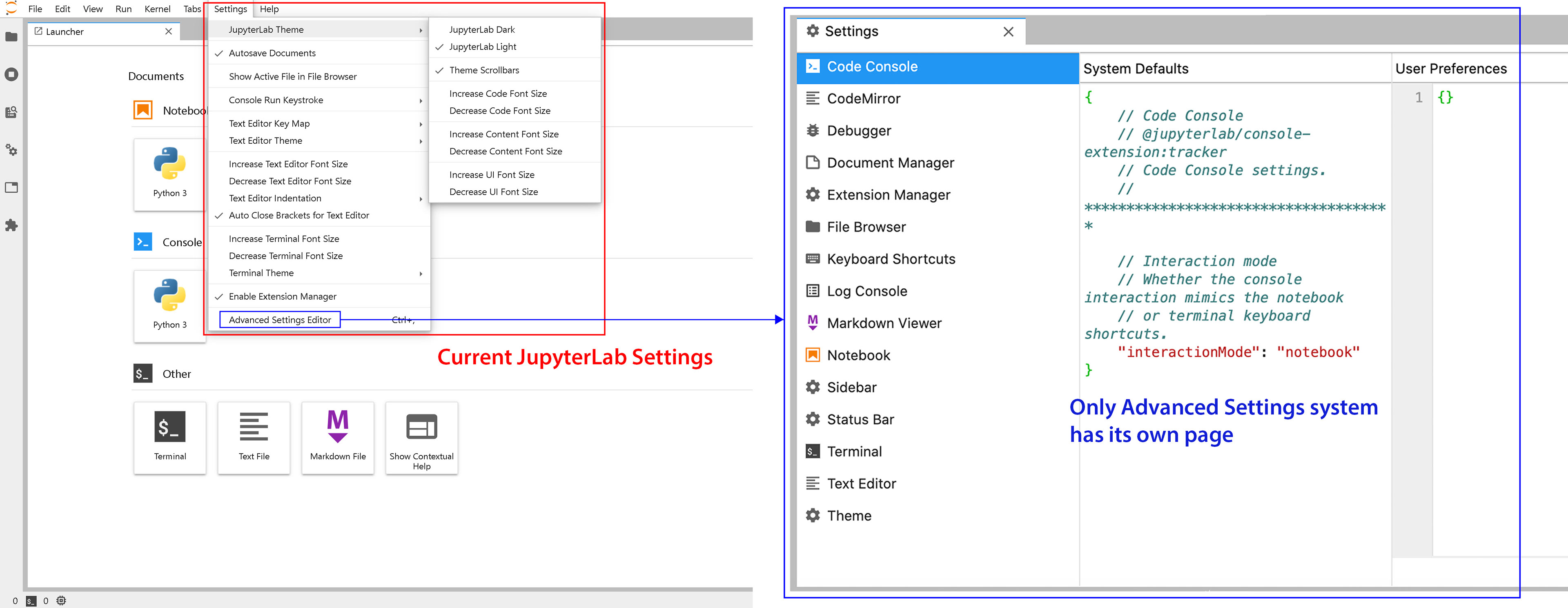
Non-existence of their basic settings system makes complicated to make minor and basic adjustments for their users. They only have an advanced settings system which requires the users to put code in the editor.
Current JupyterLab Settings ⬇
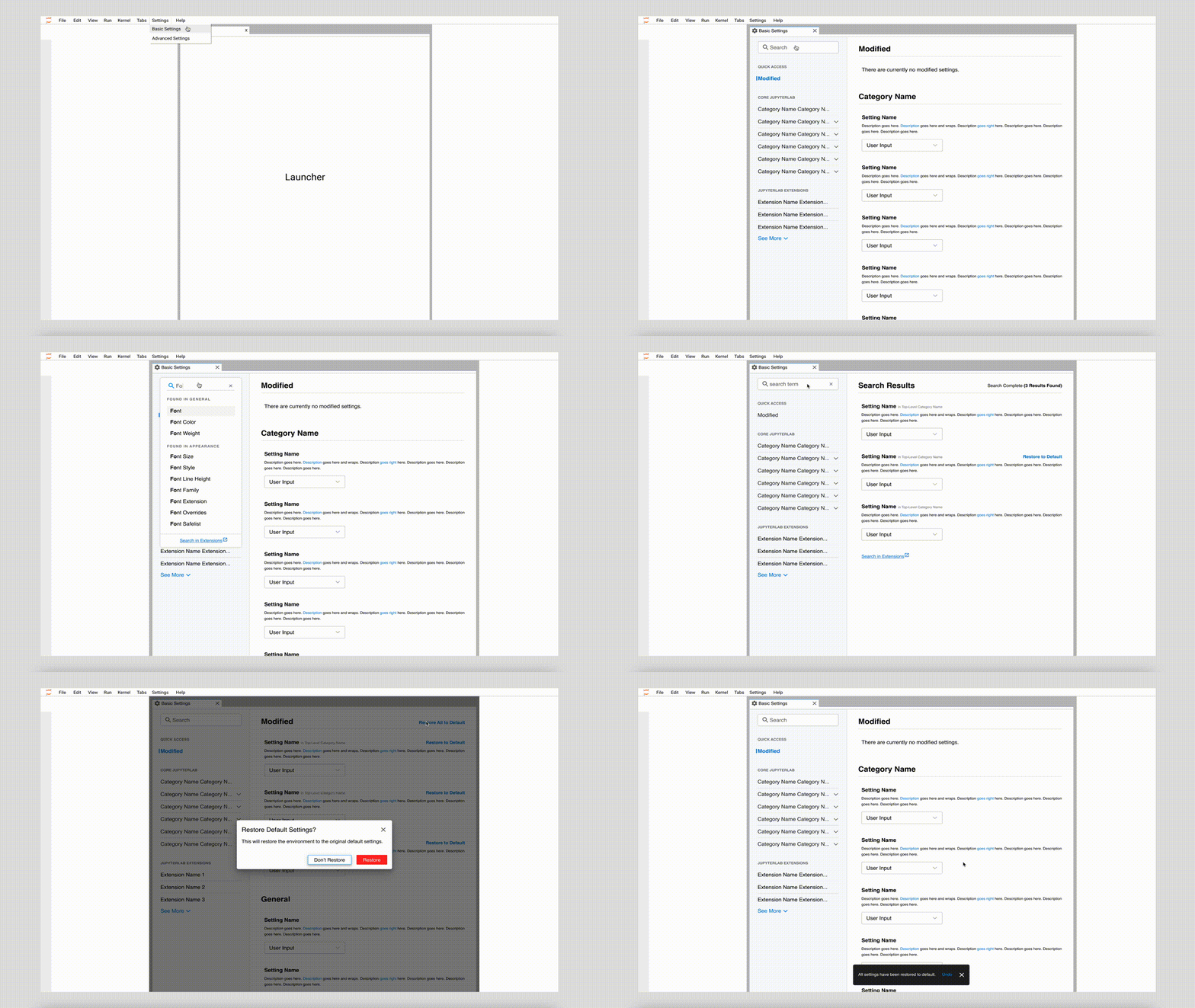
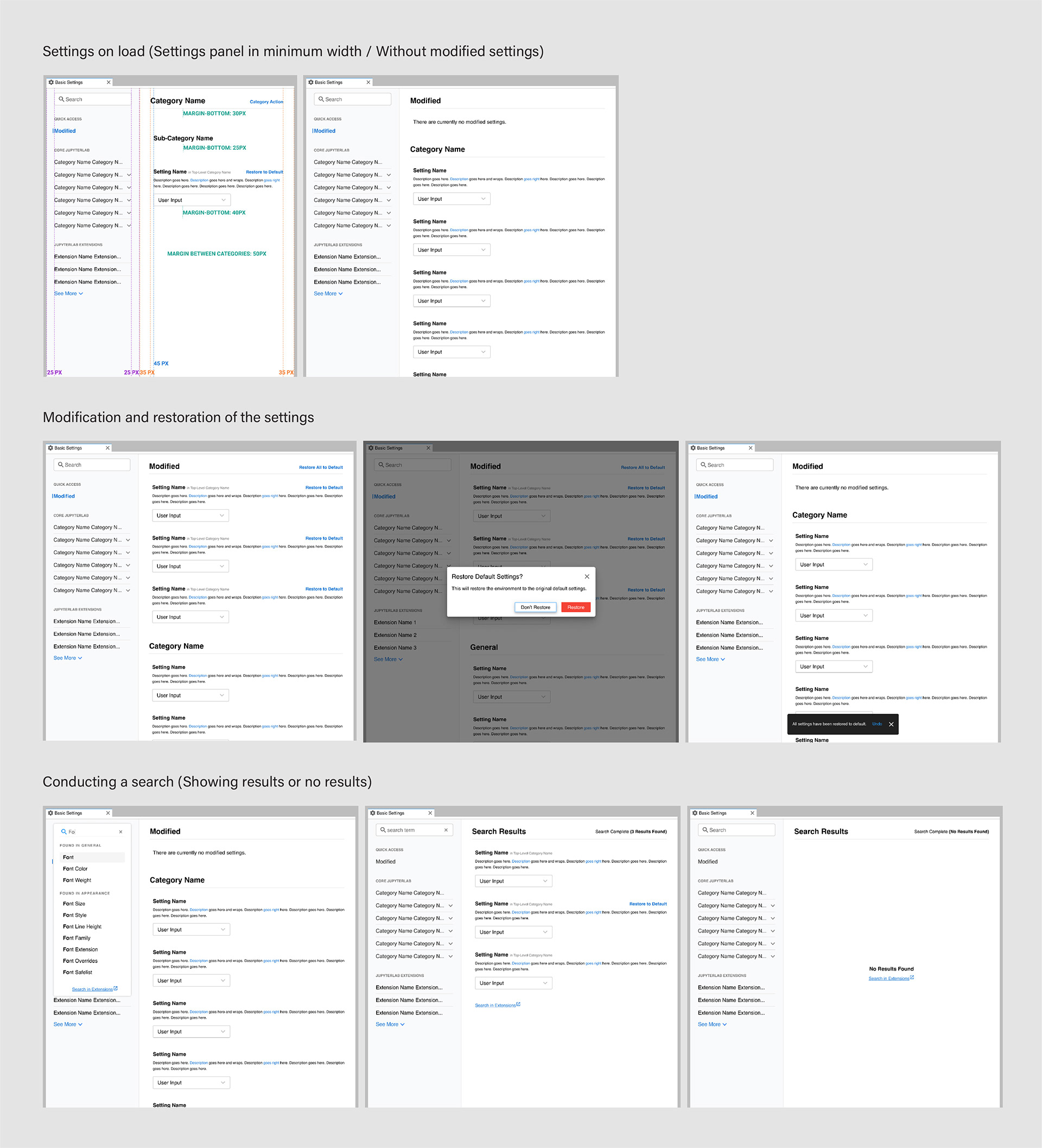
Final design on Figma ⬇
Research
We looked into the product to discover more about the problem space, executed potential solutions for the problem space, and developed and tested the design solutions.
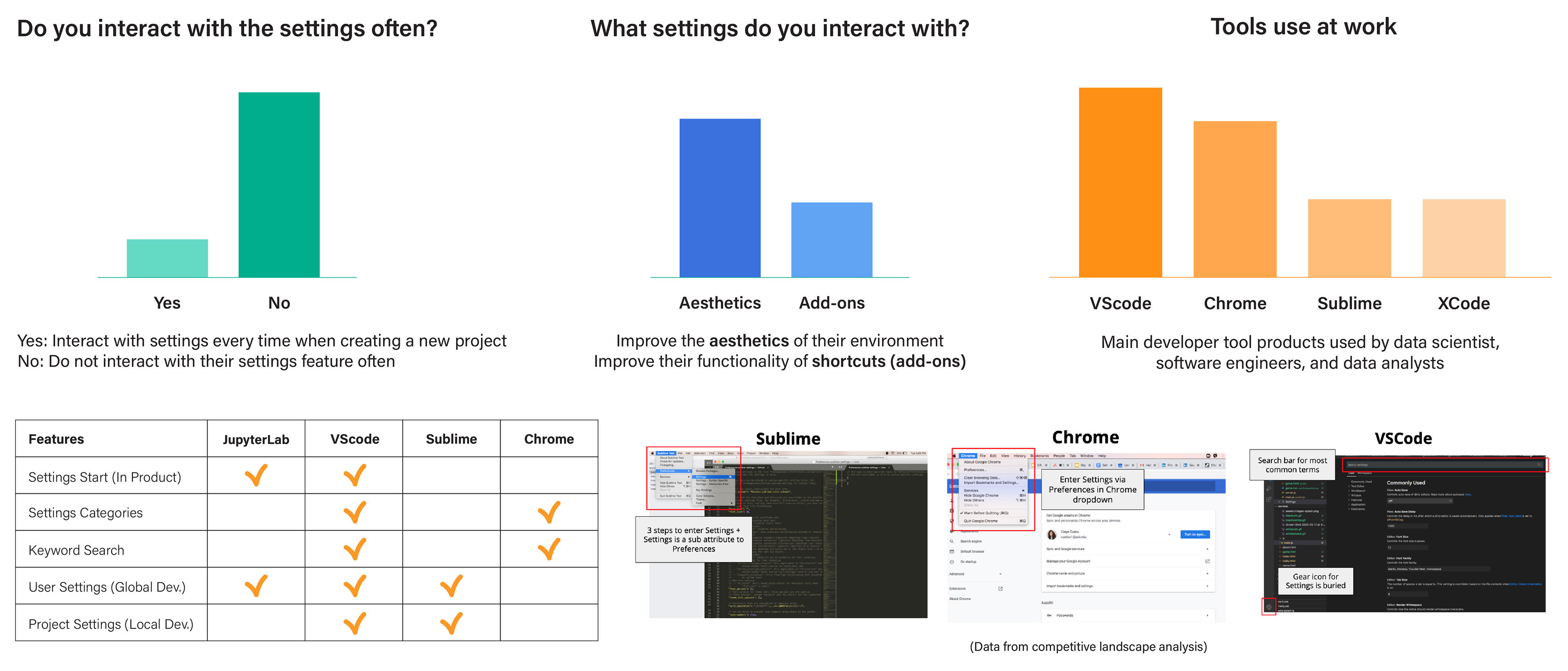
There were three groups represent our user persona which were data scientists, data analysis, and full-stack software engineers. We conducted user interview with 15 participants, 5 users from each user personal group. We were able to gather information about the issues that exist in the settings space, discover the value of settings, what users like or dislike in the settings space, and eventual basic settings solutions.
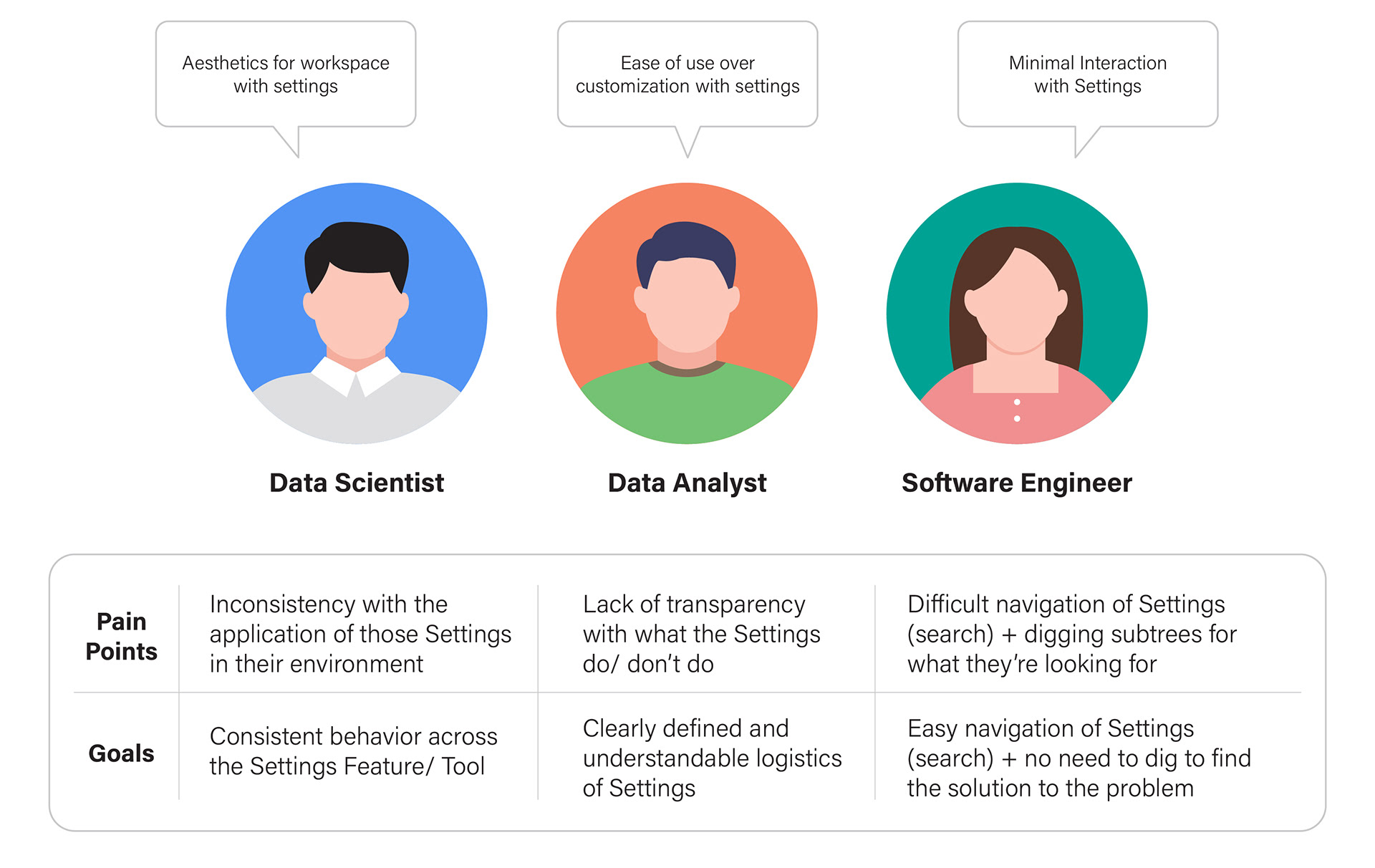
The Key Insights from the interview:
1. Users do not interact with settings often
2. Users go into settings to make changes to the aesthetic of the environment to improve their workflow
3. Users struggle to navigate settings and figure out what certain settings features do due the lack of clear description and direction
4. Users do not want to spend long time in settings, they value settings tool that is quick and easy to use and have a search feature
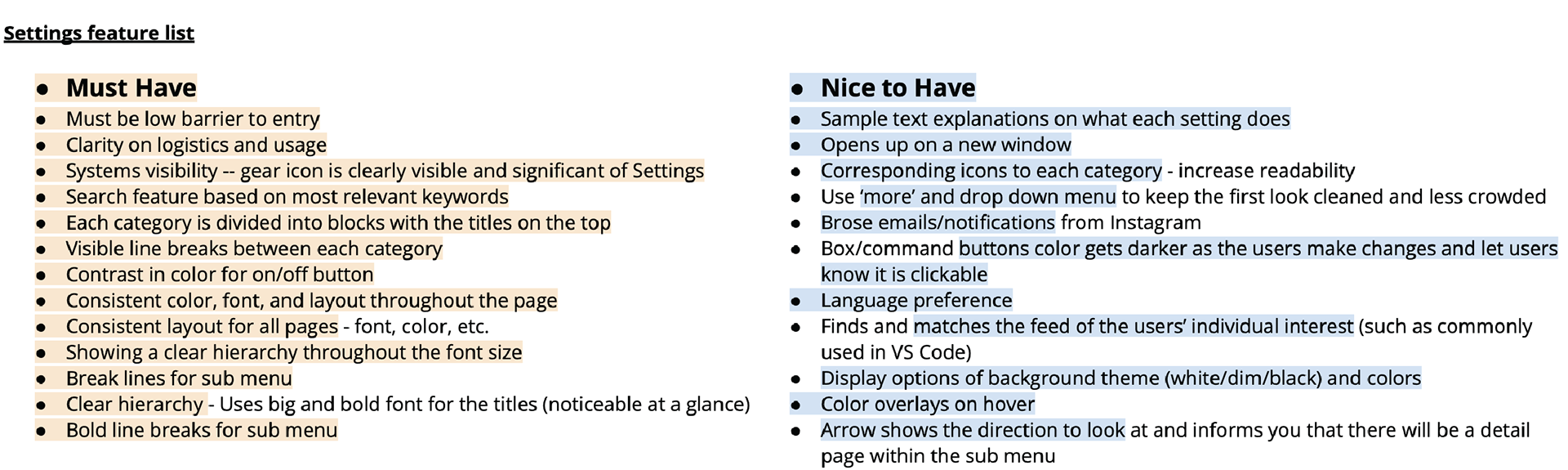
And then performed an Opportunity Assessment to assess the Settings problem space conceptually and specifically within the JupyterLab product. We gleaned valuable insights based on themes and trends of what Data Scientists, Data Analysts, and Full Stack Software Engineers needed within a Basic Settings feature.
Why is it a problem for the users not having a basic settings system?
Currently users interact with Settings in a painstaking way without knowing the logistics of settings; they are not sure how to use the features efficiently within their developer work environment.
What do they need to keep their work environment comfortable?
Users need Settings to optimize and customize their workflow within their developer tool easily. The consequence of not having a clear understanding of how to use Settings is that, they are not used at all and the users are not satisfied with their work environment.
Users should be able to-
1. Select a dropdown menu in the top right hand corner of the product that is labeled Settings as they entering their console.
2. View a clearly labeled drop down of contents to click into the content and representative for what would be the next step.
3. Select that is newly added to the current drop down and be brought to their respective environments.
4. Select Basic Settings and a new tab opens in the IDE allowing users to interact with the Basic Settings environment.
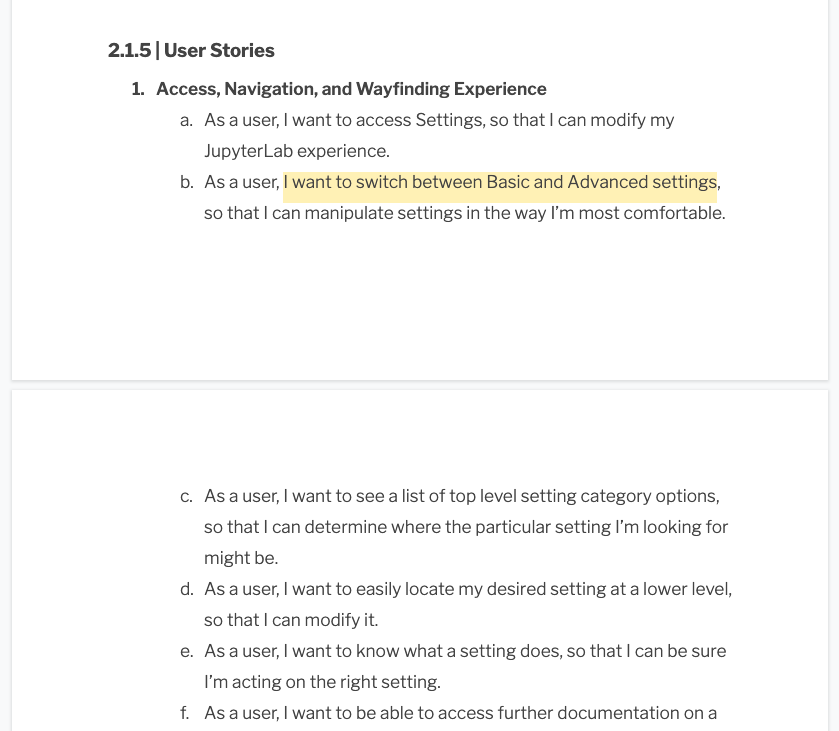
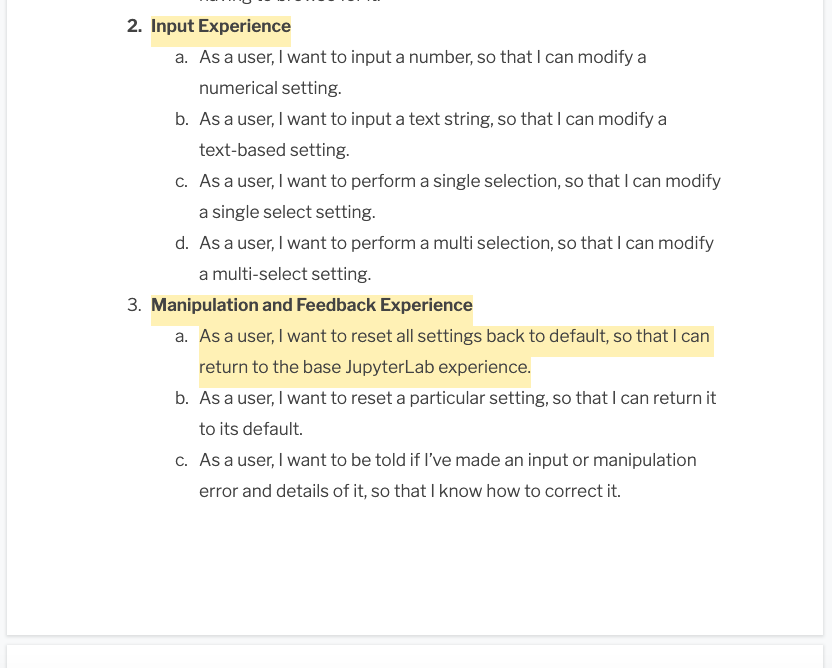
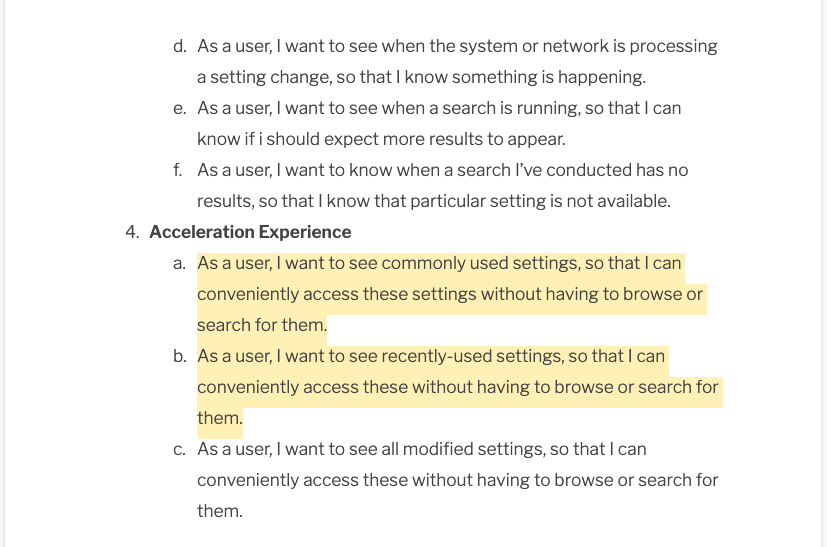
We defined our product strategy and applied insights from initial user research in the discover phase and made sure we give a recommendation to solve both users' and business needs in feature sets based on the main user stories. We brainstormed a series of "how might we..." questions to detail the process with design preparation and culminating in delivery.
Design Iteration
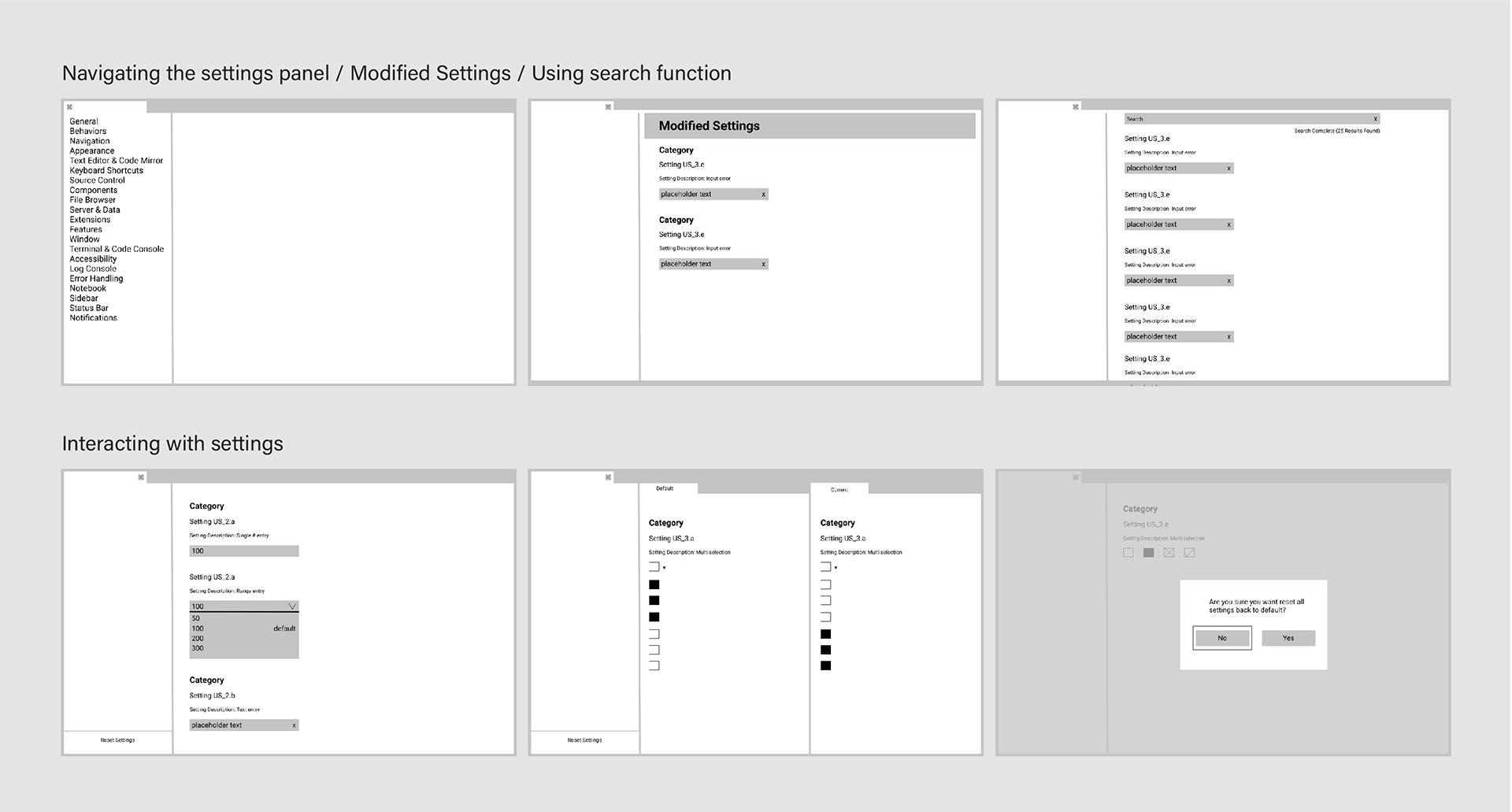
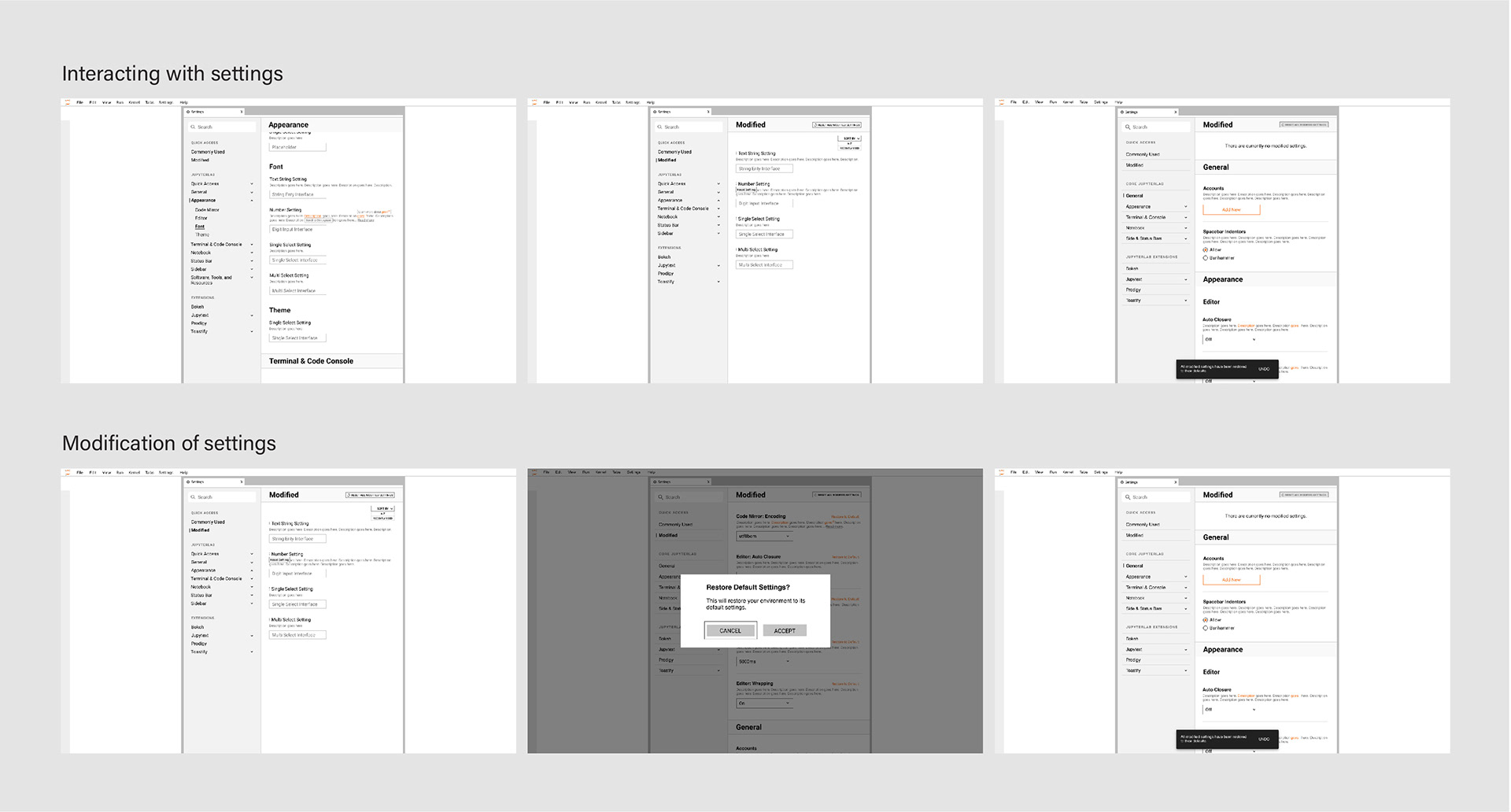
We developed our concept ideas in creating a basic settings experience for JupyterLab into four design phases. The design phases are divided into sketches, low-fidelity mockups, mid-fidelity mockups, and high-fidelity mockups; each phases are made up of four use cases including navigating the settings panel, viewing modified settings, using search, and interacting with settings.
Design Criteria
• Easy to navigate, predictable, scalable
• Use cases: Navigation experience, Input experience, Manipulation and feedback experience, acceleration experience
Sketch
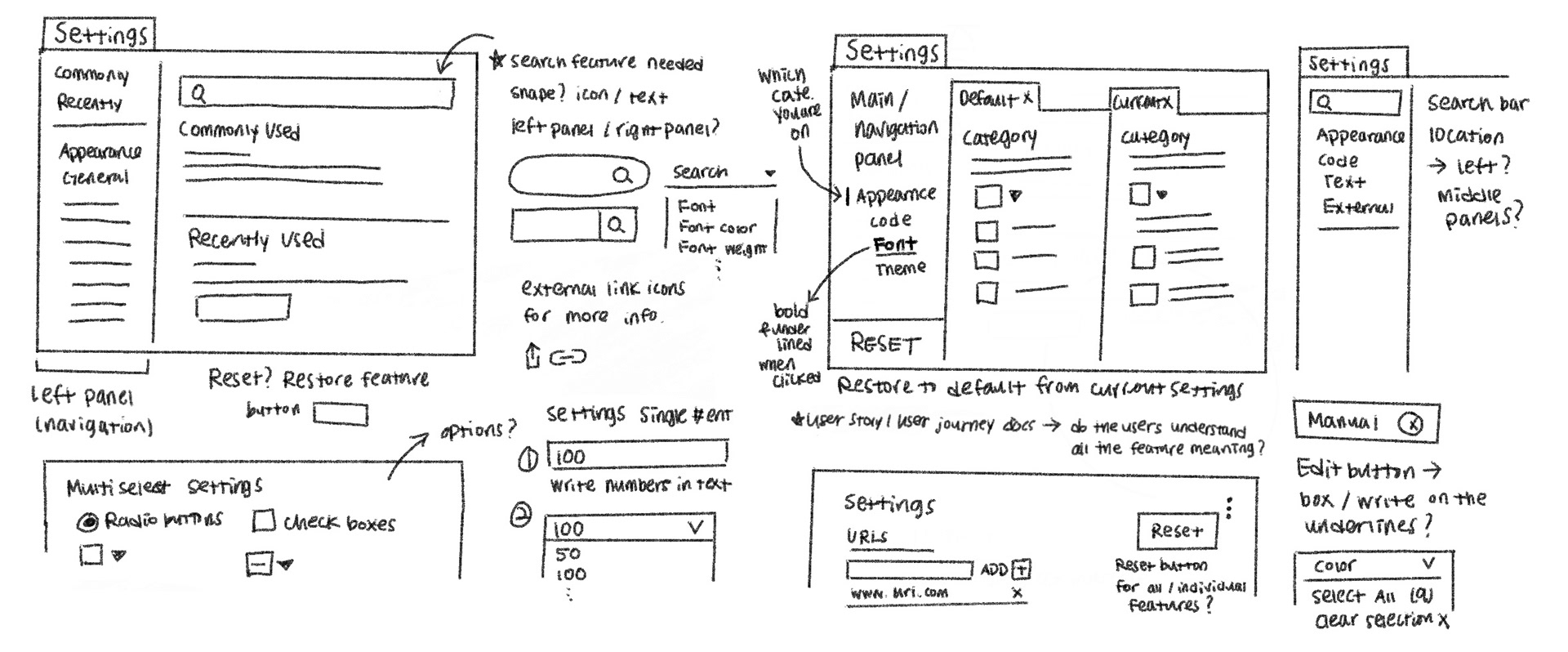
We started with creating the interface design strategy to detail our intended process beginning with design preparation. Then we began sketching our initial concepts for the Basic Settings system.
Low-Fidelity Mockup
We conducted testings and insights from the research allowed us to generate foundational IA insights that can be used in future design iterations. We incorporated the existing JupyterLab settings along with other categories from settings GUI to see what users thought existed in each category.
Mid-Fidelity Mockup
These iterations were based on the user research conducted with our targeted user participants. Having the search bar within the left navigation panel makes a more intuitive global search functionality.
Final (High-Fidelity) Mockup
We applied feedback and increased the fidelity. We continued our research in user testing to identify user feelings and expectations around designs. The final deliverables were adhering and contributed to JupyterLab's design system.
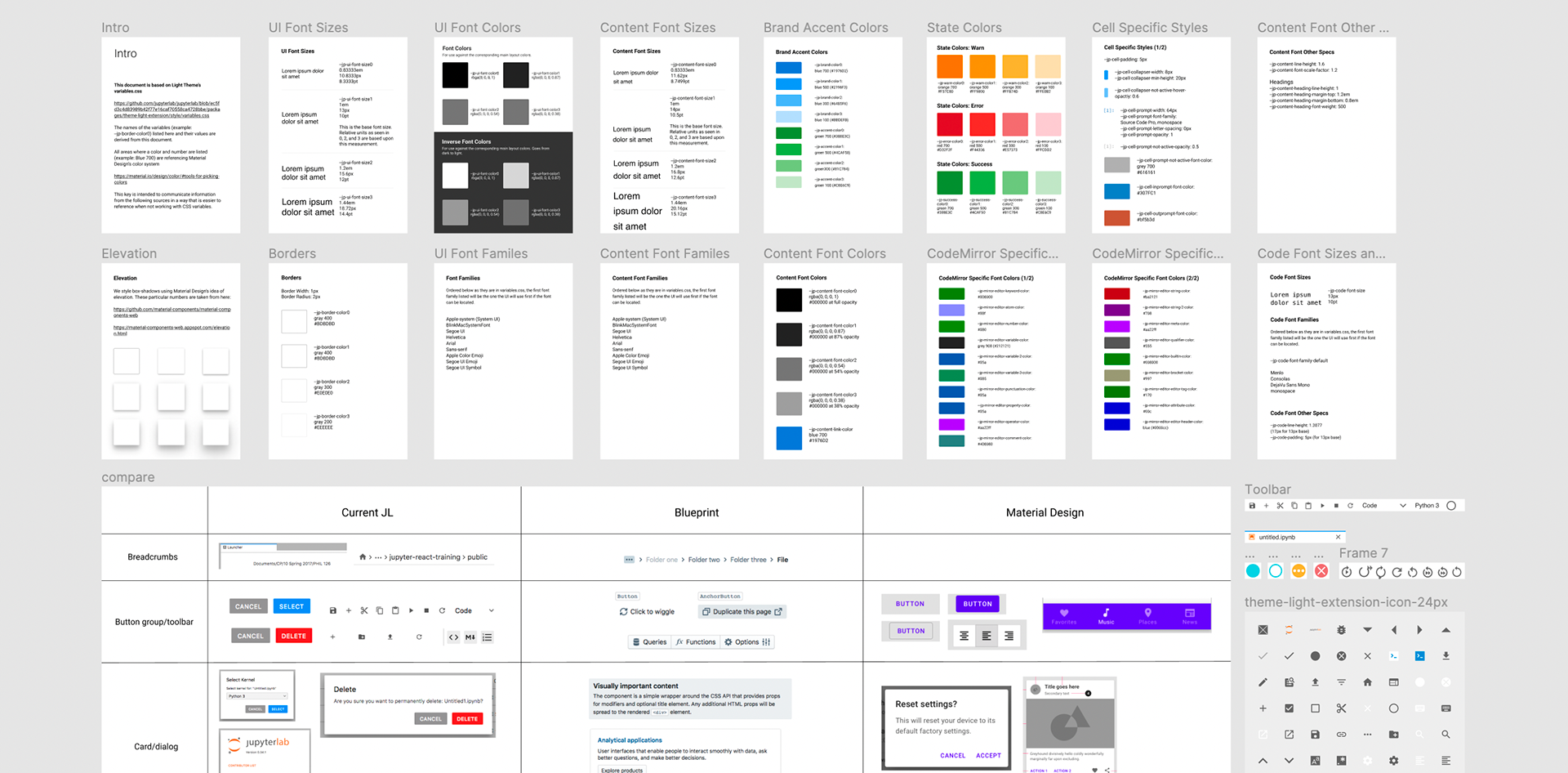
(JupyterLab's design system)
We completed our final design solution and it is initially iterated on insights from our user research. We were successful in achieving the process and won all avenues needed to reach our objective. We delivered our final design solution to our client with reference mockups and developer notes with all the details. The basic settings tool will be implemented to JupyterLab 3.X.